JavaScript数据类型和声明语法
let str = "Hello, World!";
let num = 42;
let isTrue = true;
let notDefined;
let empty = null;
let uniqueKey = Symbol("key");
let bigNum = 1234567890123456789012345678901234567890n;
let obj = { name: "Alice", age: 25 };
let arr = [1, 2, 3, 4];
function greet() {
return "Hello!";
}
let date = new Date();
let pattern = /abc/i;
let error = new Error("An error occurred");
let invalidNumber = 0 / 0;
let inf = 1 / 0;
var myVar = "Old variable";
let myLet = "New variable";
const myConst = "Constant variable";
console.log(typeof myLet);
console.log(Array.isArray(arr));
|
JavaScript里的构造函数理解
在JavaScript中,构造函数是普通函数的一种特殊用法,用于创建和初始化对象。在 JavaScript 中,通过函数来定义构造函数,并使用 `new` 关键字来创建实例。
- 构造函数本质上是普通函数,但是调用时要使用
new 关键字。
-
this 关键字指向新创建的对象。
- 构造函数没有返回值(即使你在构造函数内
return 了一个对象,也会返回该对象,覆盖默认行为)。
- 如果构造函数没有显式定义
return,它会默认返回 this(即实例对象)。
function Person(name, age) {
this.name = name;
this.age = age;
}
const person1 = new Person('Alice', 30);
console.log(person1.name);
console.log(person1.age);
|
ES6 类的构造函数
ES6 引入了类(`class`)的概念,提供了一种更清晰、更现代的方式来定义构造函数和对象的创建。类本质上是语法糖,背后依然是基于构造函数。
- 类中的构造函数是通过
constructor 关键字定义的。
- 类的构造函数与普通的构造函数一样,用于实例化对象并初始化对象属性。
- 类的构造函数也是由
new 关键字调用的。
- 类的
constructor 方法只能有一个,如果没有定义,JavaScript 会自动提供一个默认的构造函数。
- 与构造函数不同,类的语法更加面向对象,提供了更明确的继承和方法定义。
class Person {
  constructor(name, age) {
    this.name = name;
    this.age = age;
  }
}

const person1 = new Person('Alice', 30);
console.log(person1.name);
console.log(person1.age);
|
尽管ES6的类和构造函数看起来有很多相似之处,实际上它们的内部机制还是存在差异的。例如,在类的背后,实际上是通过构造函数来创建实例的:
class Person {
constructor(name, age) {
this.name = name;
this.age = age;
}
}
const person1 = new Person('Alice', 30);
|
背后实际上是这样的构造函数(类似于 ES5 中的函数式构造器):
function Person(name, age) {
  this.name = name;
  this.age = age;
}

const person1 = new Person('Alice', 30);
|
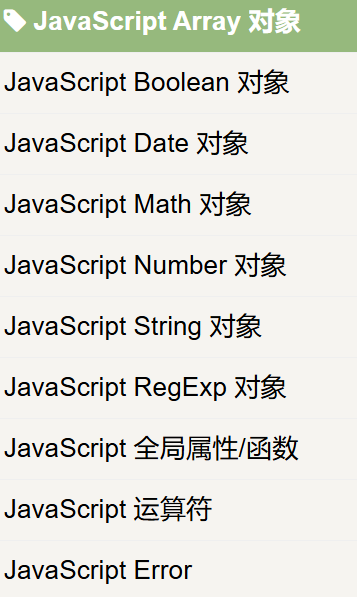
每个对象有其自身的众多方法。
比如说对字符串进行分割等方法,就要从String对象里去找对应方法。
Html Dom 有七大对象
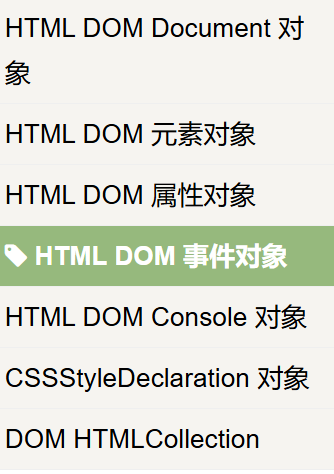
每个对象里有相关的方法。
document.getElementById("id");
document.getElementsByClassName("class");
document.getElementsByTagName("tag");
document.querySelector("selector");
document.querySelectorAll("selector");
document.createElement("tag");
element.appendChild(newElement);
element.insertBefore(newElement, reference);
element.insertAdjacentHTML(position, html);
element.innerHTML = "HTML content";
element.textContent = "Text content";
element.setAttribute("attribute", "value");
element.getAttribute("attribute");
element.removeAttribute("attribute");
element.removeChild(childElement);
element.remove();
element.addEventListener("event", function);
element.removeEventListener("event", function);
element.onclick = function() { };
element.style.property = "value";
element.classList.add("class");
element.classList.remove("class");
element.classList.toggle("class");
element.classList.contains("class");
element.offsetWidth;
element.offsetHeight;
element.scrollTop;
element.scrollLeft;
element.parentNode;
element.childNodes;
element.firstChild;
element.lastChild;
element.nextSibling;
element.previousSibling;
element.children;
element.id;
element.className;
element.src;
document.forms["formName"];
formElement.submit();
formElement.reset();
inputElement.value;
inputElement.checked;
|
const elementById = document.getElementById('myId');
const firstElement = document.querySelector('.myClass');
const allElements = document.querySelectorAll('.myClass');
const elementsByClassName = document.getElementsByClassName('myClass');
const elementsByTagName = document.getElementsByTagName('div');
elementById.textContent = 'Hello, World!';
elementById.innerHTML = '<span>Hi!</span>';
elementById.setAttribute('data-value', '123');
const attrValue = elementById.getAttribute('data-value');
elementById.removeAttribute('data-value');
const newElement = document.createElement('p');
elementById.appendChild(newElement);
elementById.removeChild(newElement);
const anotherElement = document.createElement('div');
elementById.replaceChild(anotherElement, newElement);
elementById.classList.add('newClass');
elementById.classList.remove('newClass');
elementById.classList.toggle('newClass');
elementById.style.color = 'red';
const newDiv = document.createElement('div');
const textNode = document.createTextNode('Hello!');
elementById.insertAdjacentHTML('beforeend', '<p>Inserted text</p>');
const closestDiv = elementById.closest('div');
const parentElement = elementById.parentNode;
const nextSibling = elementById.nextElementSibling;
const prevSibling = elementById.previousElementSibling;
const childrenElements = elementById.children;
const hasChildren = elementById.hasChildNodes();
const clonedElement = elementById.cloneNode(true);
elementById.scrollIntoView({ behavior: 'smooth' });
document.body.append(newDiv, anotherElement);
|
javascript原型和原型链
原型:
JavaScript中,**原型**是一个对象,它包含其他对象共有的属性和方法。每一个JavaScript对象都有一个隐式的内部属性`[[Prototype]]`,这个属性指向该对象的原型对象。原型是对象的“模板”,包含共享的功能。
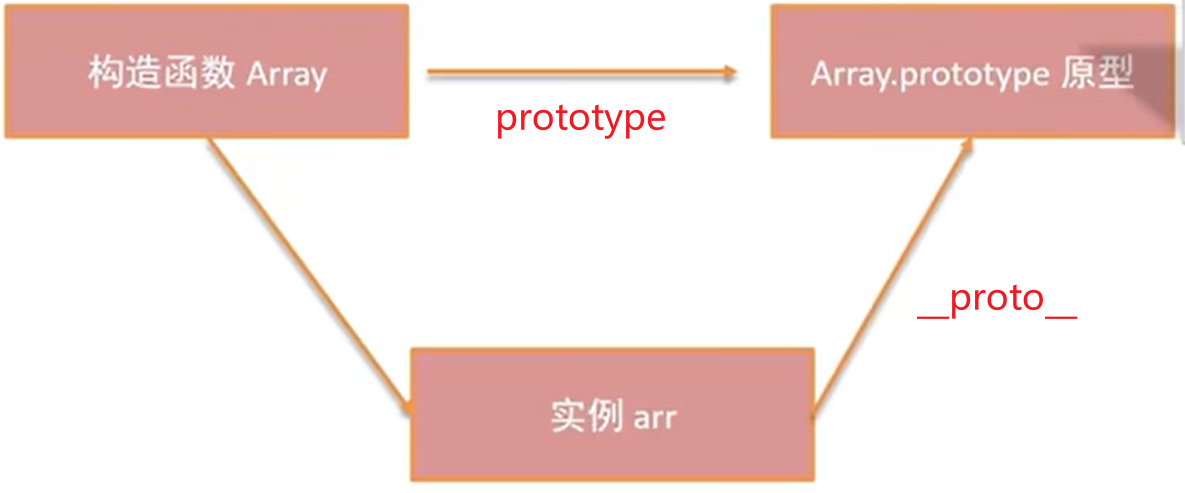
创建对象与原型
当你通过构造函数创建对象时,该对象会自动继承构造函数的原型。
function Person(name) {
this.name = name;
}
const person1 = new Person('John');
console.log(person1.__proto__ === Person.prototype);
|
上面的代码中,Person.prototype是person1对象的原型,person1继承了Person构造函数的原型。
修改原型
你可以在 构造函数的原型 上添加方法和属性,这些方法和属性会被所有通过该 构造函数创建的实例 共享。
Person.prototype.greet = function() {
console.log(`Hello, my name is ${this.name}`);
};
person1.greet();
|
这样,greet方法就可以被所有Person实例共享。
原型链(Prototype Chain)
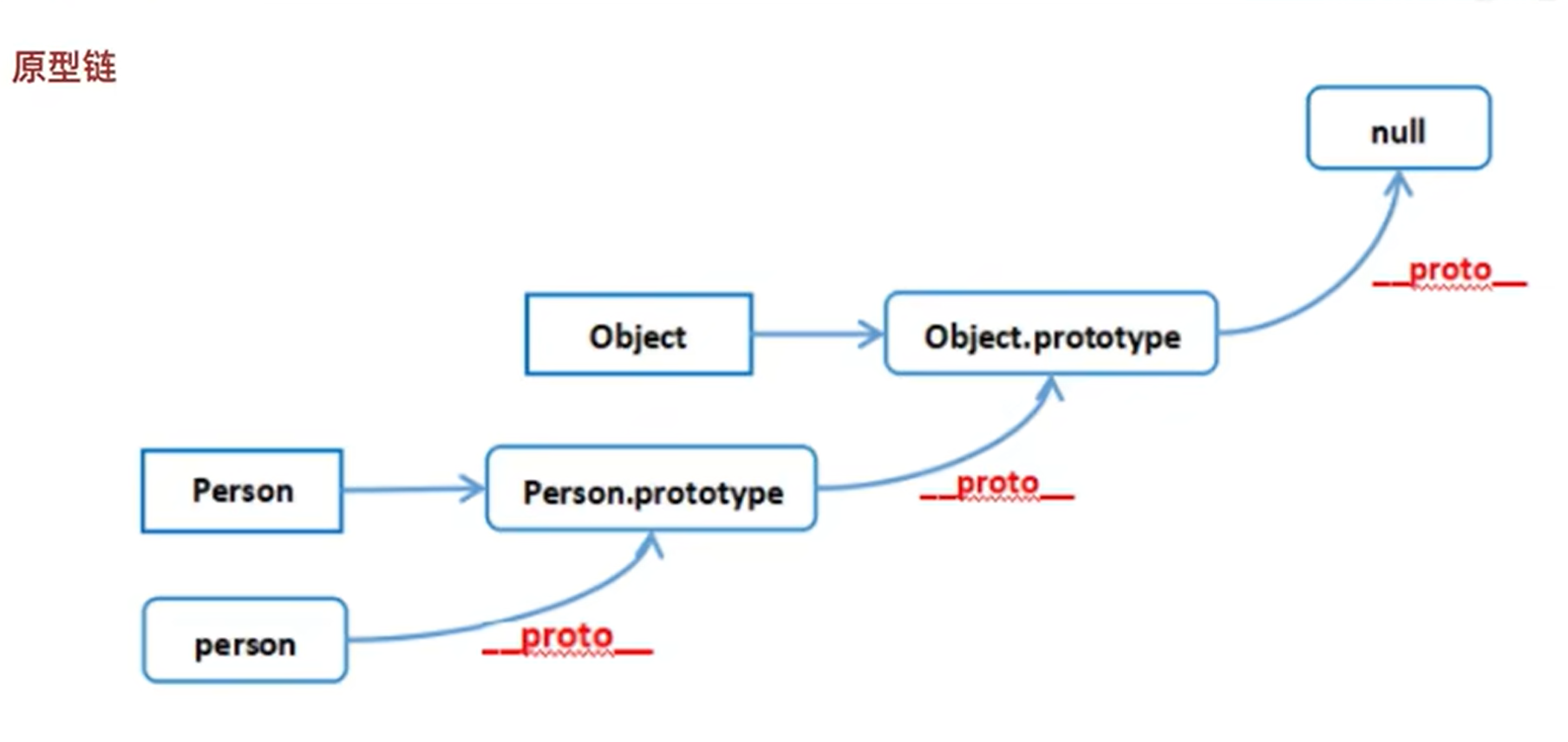
**原型链**是JavaScript用来实现继承的一种机制。每当访问对象的属性或方法时,JavaScript会首先查找对象本身是否存在该属性。如果找不到,就会沿着原型链向上查找,直到找到该属性或到达原型链的末端。
每个对象都有一个指向原型的隐式属性`[[Prototype]]`。构造函数的`prototype`对象作为实例对象的原型。当访问实例对象的属性时,JavaScript会按照以下步骤进行查找:
- 查找实例对象:首先查看实例对象本身是否包含该属性或方法。
- 查找原型对象:如果实例对象没有该属性,会查看其原型对象
[[Prototype]]。
- 查找原型链:如果原型对象没有该属性,继续查找该原型对象的原型,依此类推,直到
Object.prototype。
原型链的示例
const animal = {
sound: 'Roar'
};
function Tiger() {
this.type = 'Tiger';
}
Tiger.prototype = animal;
const tiger1 = new Tiger();
console.log(tiger1.sound);
|
在这个例子中,`tiger1`没有`sound`属性,但是通过原型链,JavaScript会查找`Tiger.prototype`,发现它指向`animal`对象,因此`sound`属性通过原型链继承过来。
原型链的终点
原型链的终点是Object.prototype。如果在原型链的任何位置都找不到目标属性,则返回undefined。
const obj = {};
console.log(obj.toString());
|
原型和构造函数
每一个构造函数都有一个`prototype`属性,它指向该构造函数的原型对象。构造函数本身也是一个对象,并且有一个`constructor`属性,指向创建该构造函数的函数。
function Animal() {}
const animal = new Animal();
console.log(animal.constructor === Animal);
|
__proto__ 与 prototype 区别
-
__proto__ 是每个实例对象的内部属性,它指向该实例对象的原型。
-
prototype 是构造函数的一个属性,指向该构造函数的原型对象。
__proto__用于访问对象的原型链,而prototype用于访问构造函数的原型对象。
Object.create() 和原型链
Object.create()可以用来创建一个具有指定原型的新对象。它返回的对象会自动继承传入对象的属性和方法。
const animal = {
sound: 'Roar'
};
const tiger = Object.create(animal);
console.log(tiger.sound);
|
在这个例子中,tiger对象继承了animal对象的sound属性。
原型链的继承
JavaScript通过原型链实现继承,可以通过修改构造函数的原型来让对象继承其他对象的属性和方法。
function Animal() {
this.sound = 'Roar';
}
function Tiger() {
Animal.call(this);
}
Tiger.prototype = Object.create(Animal.prototype);
Tiger.prototype.constructor = Tiger;
const tiger1 = new Tiger();
console.log(tiger1.sound);
|
在这个例子中,`Tiger`继承了`Animal`的属性,通过`Object.create(Animal.prototype)`让`Tiger`的原型链指向`Animal`的原型。
总结
- 原型是对象的模板,所有对象通过原型来共享方法和属性。
- 原型链是一个对象链表,用于实现继承。每个对象都有一个
[[Prototype]]指向其原型,访问属性时会沿着原型链向上查找。
- 原型链的终点是
Object.prototype,如果没有找到指定的属性,则返回undefined。
-
prototype是构造函数的属性,__proto__是每个对象的属性,它们分别代表了构造函数的原型和对象的原型。
这些是JavaScript中的原型和原型链的基础知识,理解这些对于掌握JavaScript的继承、对象和面向对象编程非常重要。
正则表达式
https://www.runoob.com/java/java-regular-expressions.html
Xpath表达式
https://www.runoob.com/xpath/xpath-syntax.html